http://msdynamicsgp.blogspot.com/2012/05/dynamic-future-vote-reprint-outstanding.html?utm_source=feedburner&utm_medium=feed&utm_campaign=Feed%3A+DynamicAccounting+%28Dynamic+Accounting%29
Thanks Mark!
May 15, 2012


May 12, 2012
Dynamic Future–Vote for: Management Reporter Should Allow Each Column to Have its Own Current Rate
Well, better late then never, but here's Mark Polino's weekly installment of things to vote on at Connections -
Dynamic Future–Vote for: Management Reporter Should Allow Each Column to Have its Own Current Rate
Keep up the great work Mark!
May 1, 2012
Vote for your favorite GP enhancements
Over at DynamicAccounting.net, fellow MVP Mark Polino has hit on a great idea - again! Every Tuesday, he's going to post a link and a short description of a GP enhancement request that appears on Microsoft Connect that he deems to be worthy.

For those of you not familiar with Connect, this is a Microsoft site that allows users to make suggestions for improvements to the software. Users vote for the improvements they'd like to see incorporated in future releases. The more votes a suggestion gets, the more attention it gets from GP developers. So, here's the link to this week's installment - http://msdynamicsgp.blogspot.com/2012/05/dynamic-futurevote-unit-account-should.html.
This is your opportunity to influence the design of the product so vote early and vote often!!
April 25, 2012
4 GP MVP's Re-awarded
Congratulations to four of our esteemed colleagues for having been re-awarded MVP status for another year!

Your contributions to the GP community are invaluable.
Andrew Anatol Karasev
Ian
Stewart
Mohammad R. Daoud
Monzer Osama
Your contributions to the GP community are invaluable.
March 9, 2012
Convergence 2012 Sessions I'm Presenting


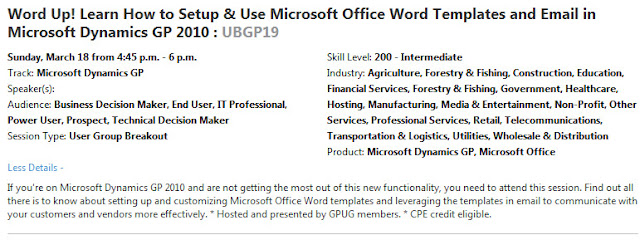
This year at Convergence, I'll be presenting three sessions, two on GPUG's DayOne and one at Convergence on both Monday and Tuesday. Here are the links to and descriptions of the sessions in the Convergence Session Catalog -
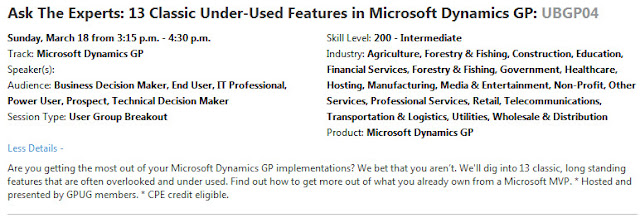
DayOne - Word Up! Using Word Templates and Email in GP 2010

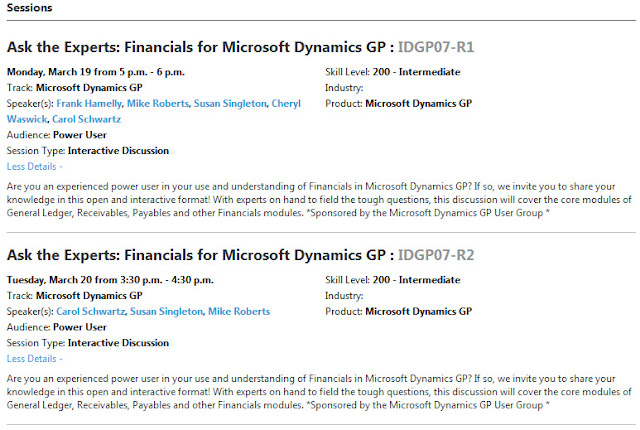
Hope to see you there!
February 10, 2012
Microsoft Dynamics Mayhem!!
Packt Publishing is crowning February, Microsoft Dynamics Mayhem, and celebrating its range of Dynamics books/e-books with exciting discounts.
As the leading publisher of Microsoft Dynamics books/e-books and a multitude of bestsellers on NAV, AX, GP and Sure Step, not only do these titles excel in terms of quantity, but in quality, with each book garnering numerous positive reviews.
To celebrate this achievement, Packt has slashed cover prices by up to 30%, so go mad, go crazy and make the most of this mayhem.
Recent Dynamics publications include:
- Microsoft Dynamics CRM 2011 New Features
- Microsoft Dynamics CRM 2011 Dashboards Cookbook
- Microsoft Dynamics NAV 2009 Professional Reporting
Throughout 2012, Packt will continue to build-upon this success, with a focus on branching into different forms and formats such as a Dynamics Certification series.
For further information on Microsoft Dynamics Mayhem in February, visit:
February 3, 2012
GL Trial Balance in FRx
For those of us on GP2010, Reporting Services reports provides a nice GL Trial Balance that is easy to export to Excel. For the rest of us, we still have to print the Report Writer version to a text file, open it in Excel, then start the cleanup and reformatting. There is an easier way using FRx. Victoria Yudin has a great article on doing just this here - http://victoriayudin.com/2009/07/17/dynamics-gp-trial-balance-in-excel-using-frx/.

*click image to enlarge
Now, to take this one more step, if you need more of the transaction detail in your FRx GLTB, look at the additional Column Types available, such as TDESC, TJDESC, TDOC, TBAT, etc. You can build a really sweet GLTB using FRx that easily exports to Excel. That will make you and your auditors happy.
January 8, 2012
Convergence 2012 Early Registration Ends in 17 Days
If you plan on attending Convergence 2012 in Houston, TX this year, register now at discounted rates! Click on the image below to register.

December 14, 2011
What are YOU interested in seeing a post on?
Typically, the blog posts I make are related to an issue that a client is currently experiencing and the resolution we arrived at. Sometimes, it's something cool I learned along the way by reading other blogs that I follow. However, the main reason I publish a blog is to provide YOU, the users who are kind enough to read my ramblings, insight into how to do things better, faster, easier in Dynamics GP.
To that end, I'd like to know what you would like to see a post on. Do you have a particularly sticky issue that you haven't been able to find an answer to? If so, leave a comment on this post and we'll see what we can do.
Thanks! Frank
November 24, 2011
Happy Thanksgiving and a Turkey Day Tip
Looking for a particular 3rd party product to augment Dynamics GP, CRM, or any other Dynamics product? ISV Central provides a great searchable compilation of products for your reference and research. Visit ISV Central by clicking on their logo below.

Wishing you all a safe and healthy Thanksgiving holiday!

November 23, 2011
Add Logical Argument Field to SmartList via SmartList Builder
I'm no SQL guru but I needed to add a column in SLB that evaluates the results in another column in the SmartList (basically an IF, THEN, ELSE statement) and ran across this great tip on Devon Southall's Dynamics GP Builders & Reporting blog.
Thought I'd share it with you . . .
Thanks Devon!
It's Year End Already???!!!
Hard to believe but it's time to start thinking about closing the year again. In that spirit, you may find some of my previous Year End Close articles helpful. Click on the calendar image to jump to the articles.

November 21, 2011
MSDynamicsWorld Decisions Fall 2011 Coming up in 14 Days!
Don't forget to register for Decisions Fall 2011 to gain new insights into Dynamics GP. Remember, this is one conference that is FREE! Click on the logo below to register and attend this conference from the comfort of your own desk.

* click image to enlarge
I'll be participating in the Microsoft Dynamics GP MVP Roundtable with fellow MVPs Mariano Gomez, Mark Polino, and Jivtesh Singh. Join us for a fun and exciting discussion about all the things you always wanted to know about GP but were afraid to ask.
November 16, 2011
GP10 SP2 User Login Hangs at Homepage Rendering
Had a client run into this situation. Upon logging in to a brand new client install of GP 10, her login would hang during rendering of the Homepage. I tried turning off all the Homepage elements, thinking it was probably Metrics or Outlook making it hang. That didn't help. I even disabled Reminders from the System Preferences menu. That didn't resolve the issue either. And to make the mystery even more mysterious, this issue only happened in one company. She could login to a different company with no issue. Hmmmmm . . .
So, on to Google we went. What I found led me to look at the records in SY01404 (Custom Reminders Setup in DYNAMICS db) and lo and behold - there was a corrupt record in that table for the company the user was having trouble logging into. I cleared that record from the table, and voila . . . login issue corrected.
Living and learning!!
November 13, 2011
Things Learned at GPUG Summit 2011
We had a great time at Summit 2011 in Las Vegas last week. In addition to the awesome learning experience at Summit, my much better half Sheila and I took some time to drive out to the Grand Canyon, tour Hoover Dam, walk up and down the Vegas Strip a couple of times and even visit the Pawn Stars Shop!
I taught a couple of classes and provided a couple more presentations. One of the reasons I like doing these things is because I always learn something new about GP that I've never seen before. This particular tidbit of knowledge is courtesy of Kristen Tennant of WEL Companies in Wisconsin who attended my Beyond the Basics - Financials class.
I've known for quite some time how useful the Navigation Lists that became available in GP 10 are. What I didn't realize is that these lists can be customized in very much the same manner as you create SmartList Favorites. Here's how you do it:
1. Open the Navigation List you want to customize
2. Click on the list name and select 'Save As'
3. In the Save As box, give the list a new name like 'My Account Transactions'
4. Click OK

*click image to enlarge
Now you have a new Navigation List called My Account Transactions that you can customize.

*click image to enlarge
When you click on Customize, the List View Customization window opens where you can add or remove Columns, modify the Action Pane associated with your list, modify list Sharing settings and more.

* click image to enlarge
For example, click on the blue arrow next to Columns to open the Columns Details window:

* click image to enlarge
And if none of these options suit your list needs, you can always use Navigation List Builder to create a custom list from scratch. Navigation List Builder works very similarly to SmartList Builder and is available as an option under the SmartList Builder menu.
Thank you so much Kristen for this very useful tip!!
Subscribe to:
Posts (Atom)